
Boost Your Home Network: A Complete Guide to Range Extender WN2000RPTv2 Setup
Posted by WifiExtSetup on 19th May 2025
Introduction: Is Your WiFi Letting You Down?
Ever wondered why your WiFi works perfectly in the living room but crawls in the bedroom? Are video calls dropping or streaming services buffering at the worst moments? These are signs your WiFi needs a boost. Enter the Range Extender WN2000RPTv2—your home’s best-kept secret for eliminating dead zones and enhancing internet coverage.
But what exactly is the WN2000RPTv2, and how do you set it up without getting tangled in tech jargon? This guide walks you through the setup, features, and functionality—step by step, human to human.
Understanding the Range Extender WN2000RPTv2
What Is the Netgear WN2000RPTv2?
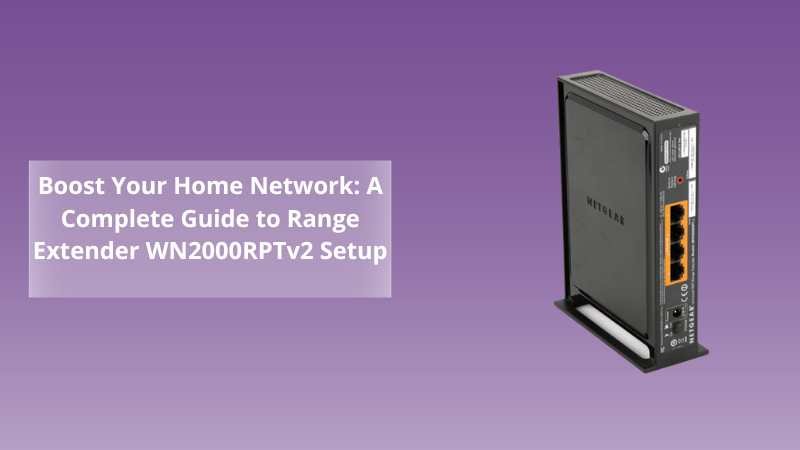
The WN2000RPTv2 is a wireless-N WiFi range extender by Netgear. Designed to extend the reach of your existing wireless signal, it ensures your internet connection flows smoothly throughout your home or small office.
Think of it as a relay runner—picking up your router’s signal and carrying it to places it couldn’t reach on its own. It’s ideal for homes with thick walls, multi-floor layouts, or simply where routers fall short.
Why Choose WN2000RPTv2 Over Other Extenders?
-
Plug-and-Play Setup: Easy to install, even if you’re not tech-savvy.
-
Ethernet Ports: Connect up to four wired devices—perfect for gaming consoles and smart TVs.
-
Universal Compatibility: Works with any standard WiFi router.
-
Smart LED Indicators: Help you find the best location for optimal coverage.
“Technology should work for you, not confuse you. The WN2000RPTv2 proves that power and simplicity can go hand in hand.”
How to Set Up Your WN2000RPTv2—Step-by-Step Guide
1. Choose the Right Location
Place the extender halfway between your router and the WiFi dead zone. Use the smart LED indicators on the device to find the best spot.
-
Green LED = Strong connection
-
Amber LED = Moderate connection
-
Red LED = Poor connection
2. Power On the Extender
-
Plug the WN2000RPTv2 into a power outlet.
-
Wait for the power LED to turn solid green.
3. Connect to the Extender
On your computer or mobile device, connect to the WiFi network named NETGEAR_EXT.
4. Launch the Setup Page
-
Open a web browser and type http://mywifiext.net
-
You’ll be prompted to create an account if it’s your first setup.
-
Follow the on-screen instructions to connect the extender to your existing WiFi.
5. Connect Your Devices
Once setup is complete, connect your devices to the extended WiFi network using the same password as your main router.
Tip: Rename your extended network to something easy to recognize, like “HomeWiFi_EXT”.
Troubleshooting Common WN2000RPTv2 Issues
Even a great device can have hiccups. Here are some common issues and how to fix them:
Can’t connect to mywifiext.net?
-
Make sure you’re connected to the NETGEAR_EXT network.
-
Try using a different browser or clearing your cache.
No Internet After Setup?
-
Check if your main router has internet access.
-
Reboot both your router and the extender.
Poor Signal Strength?
-
Move the extender closer to your router.
-
Avoid placing it near microwaves or thick walls.
Tips to Maximize Performance
1. Keep Firmware Updated
Always update your extender’s firmware from the admin panel to fix bugs and improve performance.
2. Position Strategically
Avoid corners or hidden spots. Place it where signals can travel freely, like open shelves or central hallways.
3. Use Ethernet for High-Speed Devices
Want lag-free gaming or 4K streaming? Plug your console or TV into one of the extender’s Ethernet ports.
More Resources to Explore
Want to upgrade your range even further? Check out our detailed guide on another powerhouse extender:
👉 Upgrade Your WiFi Experience with Range Extender AC EX8000: The Complete Setup Guide
Conclusion: Is the WN2000RPTv2 Worth It?
Let’s return to the questions we started with: Are you tired of weak signals or dead zones ruining your streaming experience? With the Netgear Range Extender WN2000RPTv2, you no longer have to put up with inconsistent WiFi.
It’s user-friendly, budget-friendly, and highly reliable.
If you’re ready to take your internet coverage from frustrating to flawless, there’s no better time than now.
👉 Visit wifi-extsetup.com to get personalized setup support and explore more WiFi solutions.
“Connectivity shouldn’t be a luxury—it should be a constant.”
FAQs: Range Extender WN2000RPTv2
Q1. Does the WN2000RPTv2 work with any router?
Yes, it’s universally compatible with all standard WiFi routers.
Q2. How many devices can I connect to it?
You can connect multiple wireless devices and up to 4 wired devices using the Ethernet ports.
Q3. How far should the extender be from the router?
Place it halfway between the router and the dead zone—use LED indicators for accuracy.
Q4. Is the WN2000RPTv2 good for gaming?
Yes, especially if you use the wired Ethernet ports for stable connectivity.
Q5. Can I use this in a multi-floor house?
Absolutely. Just ensure you place it where the router’s signal is still moderately strong.