
Netgear Range Extender AC750: Complete Setup Guide, Benefits & Expert WiFi Tips
Posted by WifiExtSetup on 18th September 2025
Introduction: Do You Really Need a WiFi Range Extender?
How often do you struggle with weak signals in your bedroom, basement, or backyard? Isn’t it frustrating when your video call freezes or your movie keeps buffering right in the middle of an important scene? Reliable WiFi has become more than just convenience—it’s essential. This is where the Netgear Range Extender AC750 comes in. It’s a compact yet powerful device designed to boost your WiFi coverage, remove dead zones, and provide a seamless internet experience. But how does it work, and why should you choose it over other models? Let’s explore.
What Is the Netgear Range Extender AC750?
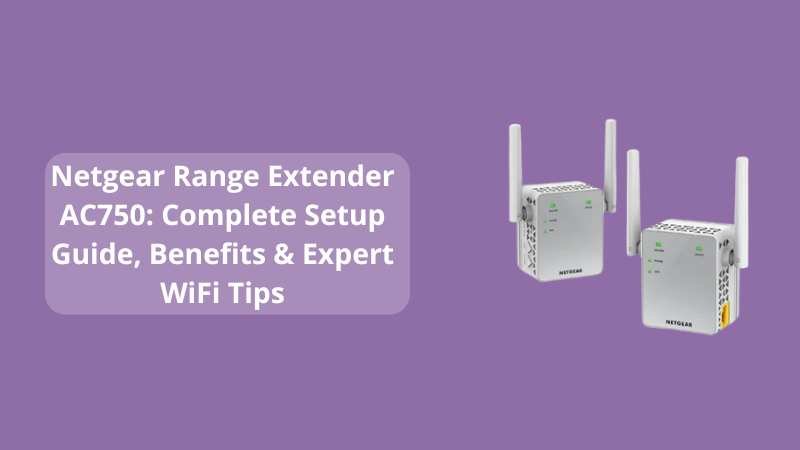
The Netgear AC750 is a dual-band WiFi range extender that enhances your router’s signal and extends its reach. It delivers combined speeds of up to 750 Mbps, making it perfect for streaming, gaming, and browsing across multiple devices. The extender plugs directly into a wall outlet, making it easy to set up without taking extra space.
Think of it as a “bridge” between your router and your dead zones. Instead of suffering from patchy connections, the AC750 ensures a strong and reliable signal throughout your home.
Top Benefits of Using the Netgear AC750 Extender
-
Dual-Band Connectivity: Operates on both 2.4GHz and 5GHz bands for faster, stable connections.
-
Universal Compatibility: Works with all WiFi routers, gateways, and even older network setups.
-
Simple Plug-and-Play: Easy installation without technical know-how.
-
Compact Design: Small, sleek, and space-saving.
-
Boosts Multi-Device Performance: Perfect for households with smartphones, laptops, smart TVs, and IoT devices.
“WiFi should feel invisible—always available, never interrupted.” The AC750 makes that possible.
Step-by-Step Setup Guide for Netgear AC750
Method 1: WPS Button Setup
-
Plug in the AC750 near your router.
-
Wait until the power LED turns solid green.
-
Press the WPS button on your router.
-
Within 2 minutes, press the WPS button on the extender.
-
Once connected, the LED light will glow green.
-
Move the extender halfway between your router and the weak signal area.
-
Connect your devices to the new extended network.
Method 2: Web Browser Setup
-
Plug in the extender and connect your device to its default WiFi.
-
Open your browser and go to mywifiext.net.
-
Follow the on-screen instructions for configuration.
-
Set a unique SSID and password if needed.
-
Save the settings and connect your devices.
👉 For advanced setup tips, check our internal blog: Netgear Range Extender EX6920: Setup, Features & Complete Guide
How the AC750 Improves Your Internet Experience
-
Eliminates Dead Zones: Say goodbye to weak signals in upstairs rooms, garages, or backyards.
-
Enhances Streaming Quality: Enjoy uninterrupted HD and 4K video streaming.
-
Enhances Online Gaming: Reduces lag for smoother gaming sessions.
-
Supports Remote Work: Offers reliable connectivity for video conferencing and transferring large files.
-
Extends Smart Home Connectivity: Connects IoT devices like cameras, smart plugs, and thermostats.
Think of WiFi like electricity. Would you accept half your home without power? Of course not. Then why settle for weak signals?
Tips to Optimize Netgear AC750 Performance
-
Place the extender in a central, elevated location.
-
Avoid positioning it near microwaves, cordless phones, or thick walls.
-
Update firmware regularly for better security and performance.
-
Use the 5GHz band for gaming and streaming; 2.4GHz for general browsing.
-
Reboot the extender occasionally for smoother operation.
Conclusion: Is the Netgear AC750 Worth It?
If you’re tired of weak WiFi signals, the Netgear Range Extender AC750 is your affordable, effective solution. It eliminates dead zones, boosts performance, and supports a growing number of devices in today’s connected homes. The setup is simple, the performance is reliable, and the benefits are clear.
So, is uninterrupted connectivity worth the investment? The answer is a resounding yes. With the AC750, you don’t just get stronger WiFi—you get peace of mind.
Frequently Asked Questions (FAQ)
Q1. Is the Netgear AC750 compatible with all routers?
Yes, it supports all standard WiFi routers and gateways.
Q2. Can I use the AC750 with my smart TV and gaming console?
Absolutely. It supports multiple devices without slowing down.
Q3. How far does the AC750 extend coverage?
It can extend WiFi signals up to 1,200 square feet, depending on placement and obstacles.
Q4. What if my WPS button doesn’t work?
You can easily set it up using the web interface at mywifiext.net.
Q5. Does it affect my existing internet speed?
No. Instead, it helps distribute the available speed more evenly across devices.