
Boost Your Connectivity: The Ultimate Guide to Setting Up and Optimizing Range Extender EX6200
Posted by WifiExtSetup on 03th July 2025
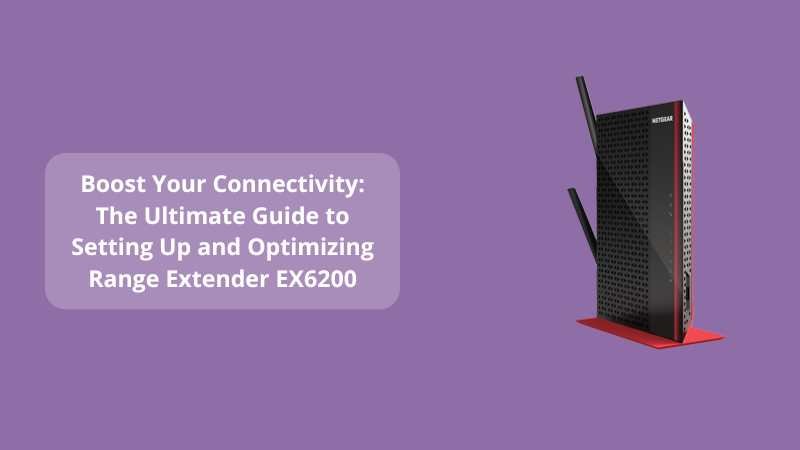
Introduction: Is Your WiFi Letting You Down?
Do you find yourself pacing around the house just to get a decent WiFi signal? Or maybe your video call keeps freezing in the middle of an important meeting? Let’s face it—weak WiFi is more than an inconvenience; it’s a modern-day productivity killer. That’s where the Netgear Range Extender EX6200 steps in like a digital lifeguard.
But here’s the catch: if it’s not set up or optimized properly, even the best extender can fall short. So, what’s the secret to unleashing its full potential? And how can you make sure your setup is as seamless and powerful as your needs demand?
Let’s walk through it—step by step.
How the Range Extender EX6200 Can Transform Your Home WiFi
What Makes the EX6200 a Game-Changer?
Think of the EX6200 as the bridge between your router and dead zones. It’s a dual-band WiFi range extender that supports speeds up to 1200Mbps, ensuring your smart TVs, laptops, and mobile devices all run like a dream—no lag, no buffering.
It’s not just about extending range; it’s about extending reliability.
“A strong signal is no longer a luxury—it’s a necessity.” — Every remote worker, ever.
Key Features at a Glance:
-
Dual-band WiFi: Supports both 2.4GHz and 5GHz for flexible device connectivity.
-
5 Gigabit Ethernet Ports: Perfect for wired connections like gaming consoles and smart TVs.
-
Dual Core Processor: Provides fast processing power for stable performance.
-
External High-Gain Antennas: Enhanced coverage and signal strength.
Step-by-Step Setup Guide for EX6200
Option 1: Using WPS (One-Click Wonder)
Fast, Secure, and No Passwords Required.
-
Plug your EX6200 into a power outlet midway between your router and the area with a weak signal.
-
Wait for the Power LED to turn solid green.
-
Press the WPS button on the EX6200.
-
Within two minutes, press the WPS button on your router.
-
Once connected, the Router Link LED will light up green.
And that’s it—you’re online!
“Setting up WiFi shouldn’t feel like assembling IKEA furniture.”
Option 2: Web Browser Setup (Manual but Powerful)
If WPS isn’t available or you prefer a bit more control:
-
Connect your device to the NETGEAR_EXT network.
-
Open a browser and visit: www.mywifiext.net
-
Follow the step-by-step setup wizard.
-
Select your existing WiFi network and enter the password.
-
Assign a name for the extended network.
-
Complete the setup and reconnect to the new network.
Want a more visual step-by-step tutorial? Visit our internal blog:
Supercharge Your WiFi: Setup Guide for Range Extender WN3100RP
Optimize Your EX6200: Pro Tips for Peak Performance
1. Placement Is Everything
-
Place it midway between your router and the weak zone.
-
Avoid corners, cabinets, or near microwaves—these block signals.
2. Check Signal Strength Regularly
-
Use tools like NetSpot or WiFi Analyzer to check signal coverage.
-
Aim for at least 60% strength in the target area.
3. Update Firmware Frequently
Outdated firmware is like old road maps—useless. Always update from the official Netgear support site.
4. Ethernet for Stability
Use the Gigabit ports to connect smart TVs or desktops for zero lag.
5. Use the Same SSID or a New One?
If you’re tech-savvy and have many devices, using the same SSID makes roaming easier. Otherwise, keep them separate to know which network you’re on.
Troubleshooting: Common Issues and Fixes
-
Can’t access mywifiext.net? Try using the IP address 192.168.1.250
-
LED not turning green? Ensure you’re within range and try WPS again.
-
Slow speeds even after setup? Try changing the WiFi channels or relocating the extender.
“The problem isn’t always the speed. Sometimes, it’s just about positioning the signal right.”
Is the EX6200 Right for You?
If you’re a gamer, remote worker, streamer, or someone who just wants seamless connectivity across multiple floors, the answer is a resounding yes.
And remember, with a simple setup and some smart optimization, you’ll be browsing, streaming, and working without a single glitch.
Sales Pitch: Want Professional Help?
If all this still sounds like a lot, don’t worry—we’ve got your back.
✅ Need expert help with setup or troubleshooting?
Visit: https://www.wifi-extsetup.com
📞 Or get instant assistance from certified professionals.
Conclusion: Stronger Signal, Smarter Life
So let’s circle back to our starting questions.
Can your WiFi get better? Absolutely.
Is the EX6200 the key to unlocking that? No doubt about it.
Is setting up a painful process? Not anymore.
In a world where digital speed equals real-life productivity, don’t let poor signals hold you back. The Netgear EX6200 Range Extender is your upgrade to a smarter, smoother, and stronger online experience.
Frequently Asked Questions (FAQs)
Q1. Can I use the EX6200 with any router?
Yes! The EX6200 is universally compatible with almost all routers.
Q2. What is the coverage range of the EX6200?
It can cover up to 10,000 sq. ft., depending on your home’s layout and walls.
Q3. How many devices can connect to the EX6200?
It can support 15-20 devices simultaneously without lag, thanks to its powerful processor.
Q4. Do I need an app to set it up?
No app required. You can set it up via WPS or using a browser on your device.
Q5. Is the EX6200 good for 4K streaming and gaming?
Yes. Its dual-band speeds and wired ports make it ideal for bandwidth-heavy activities.